Altium Designer
Altium Designer is a powerful PCB (Printed Circuit Board) design software widely used by engineers and designers for creating complex electronic circuits. It offers an integrated environment that combines schematic capture, PCB layout, simulation, and manufacturing tools, making the design process more efficient and streamlined. With features like 3D visualization, real-time collaboration, and extensive component libraries, Altium Designer simplifies the development of high-quality electronic products. Its user-friendly interface and advanced automation tools help reduce design errors and speed up production, making it a preferred choice for both small businesses and large enterprises in the electronics industry.
Schematic Editor Features
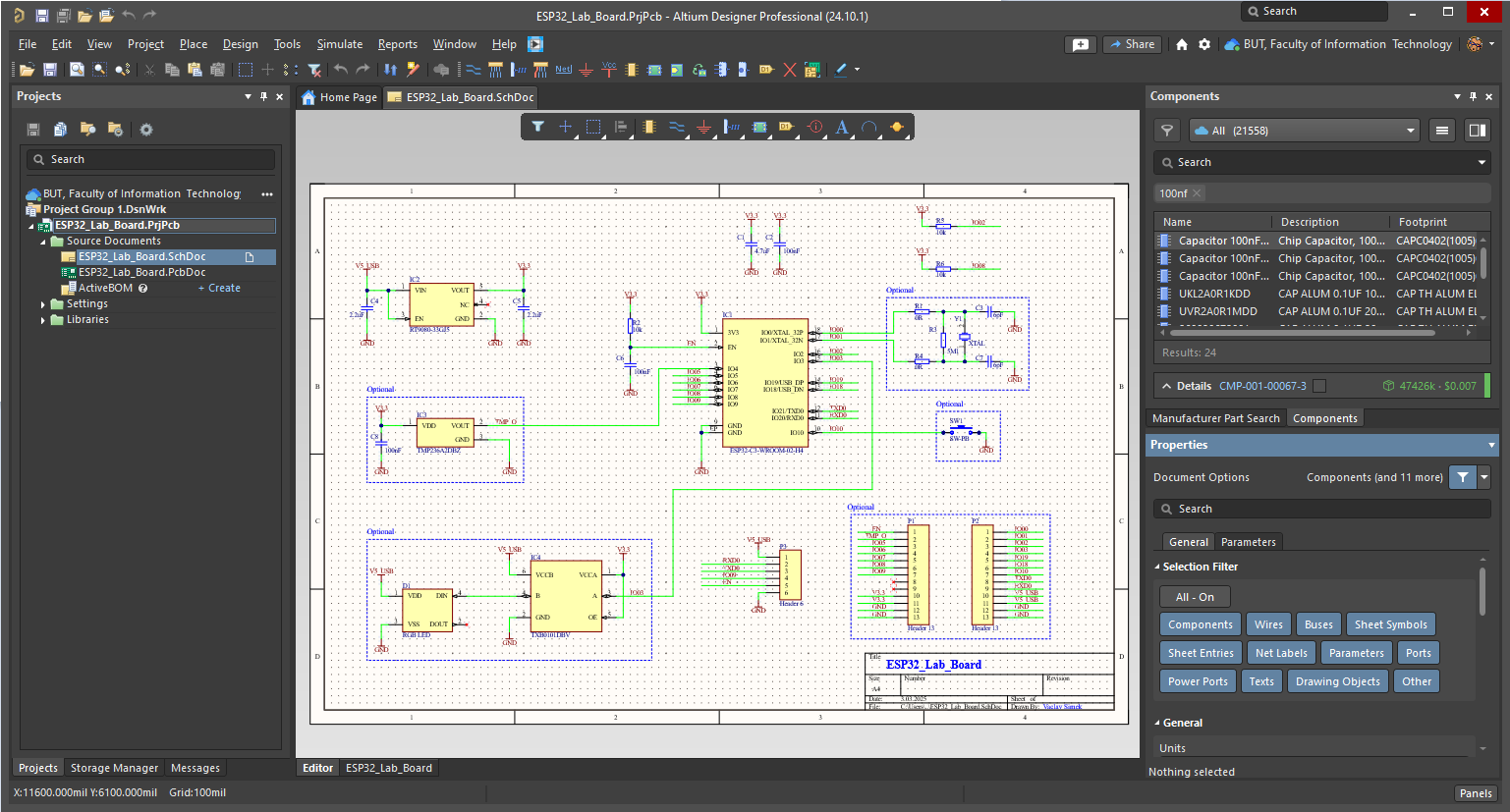
Altium Designer offers one of the most advanced and user-friendly schematic editors in the PCB design industry. It provides a highly intuitive interface with powerful tools such as hierarchical and multi-channel design support, design rule verification, and real-time electrical rule checking (ERC). The schematic editor seamlessly integrates with Altium's extensive component libraries, allowing designers to access manufacturer-sourced component data, footprints, and symbols directly within the tool. Additionally, Altium Designer enables real-time collaboration via its cloudbased Altium 365 platform, allowing multiple engineers to work on the same schematic while maintaining version control and design consistency. An example of how the schematic editor GUI looks like in Altium Designer is shown in the following Figure.
PCB Layout Editor Features
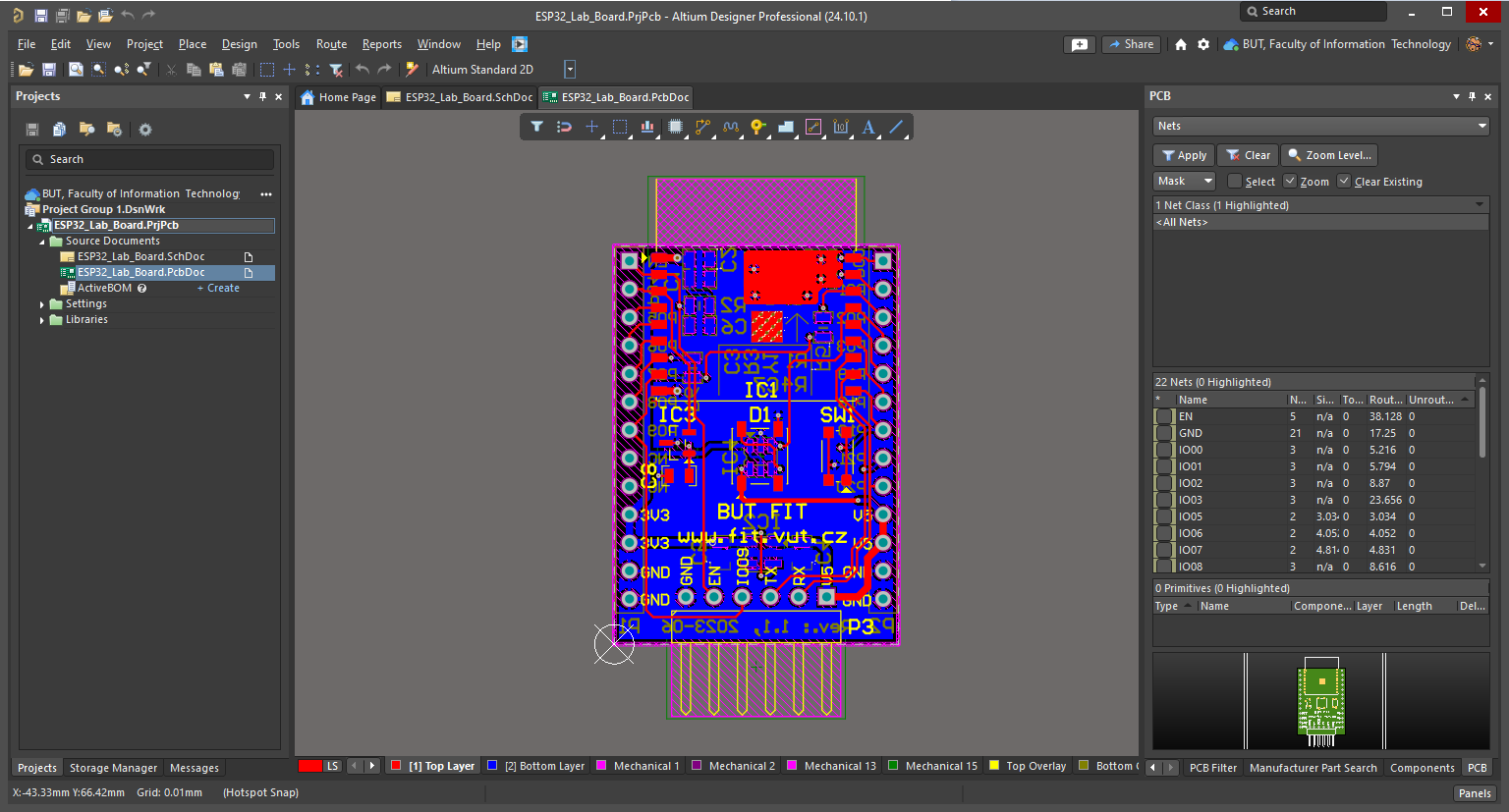
Altium Designer offers one of the most advanced and comprehensive PCB layout editors, making it a top choice for professional engineers and large-scale industrial projects. It supports multilayer PCB designs, high-speed routing, impedance-controlled traces, and advanced signal integrity analysis. The interactive and auto-routing features in Altium provide an efficient way to place and route components while adhering to design rules and constraints (DRC). Additionally, Altium Designer includes 3D visualization and collision detection, enabling designers to verify the mechanical compatibility of their PCB before manufacturing. Its seamless integration with component libraries, design rule checks (DRC), and Altium 365 cloud collaboration make it a robust solution for teams working on complex designs. An example of how the PCB editor GUI in action like in Altium Designer is shown in the following Figure.
Components Libraries and Management
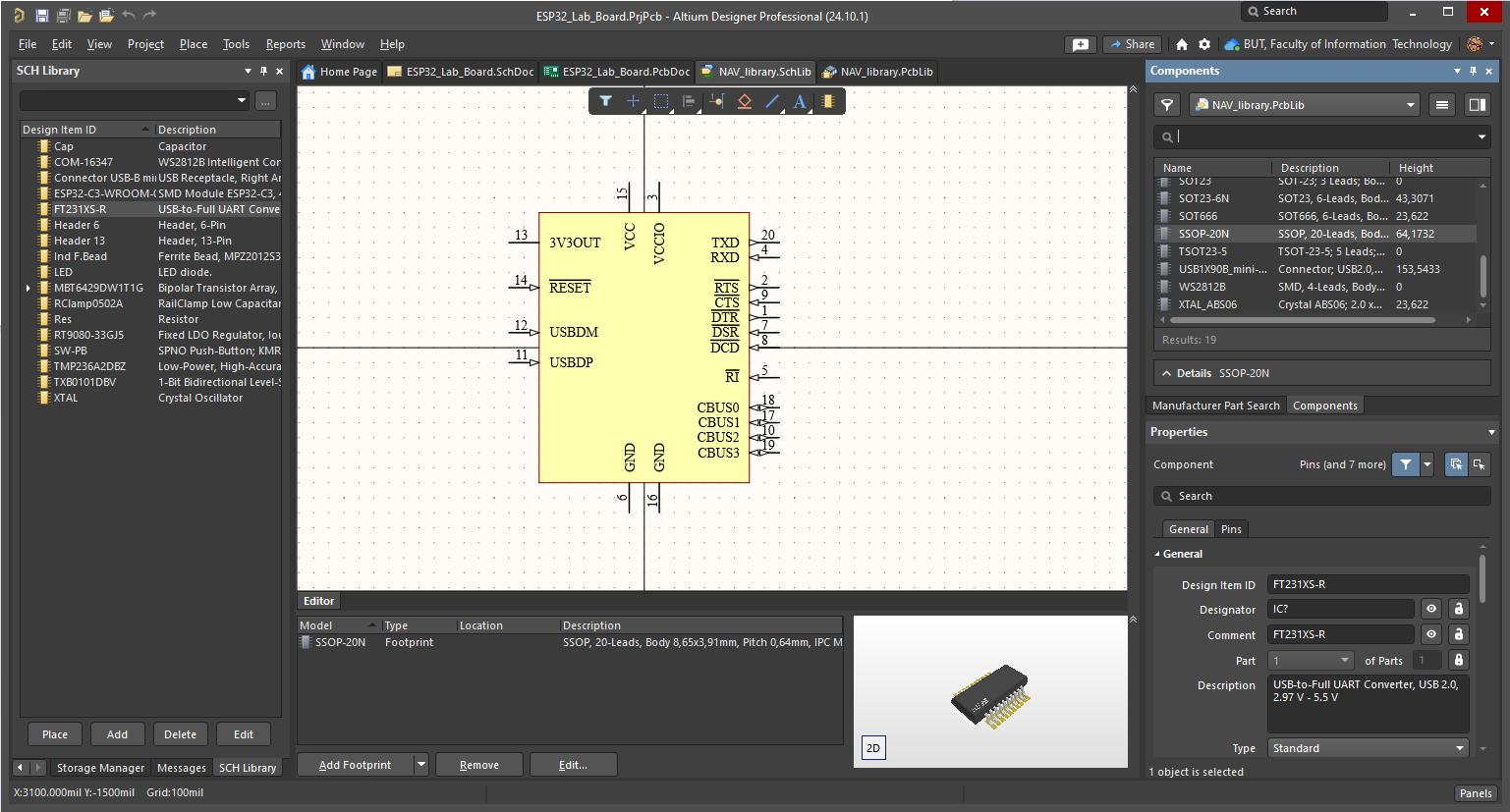
Altium Designer provides a highly sophisticated and integrated component library management system, making it a top choice for professional PCB designers. It offers access to extensive manufacturer databases through Altium 365 and Concord Pro, enabling users to directly import verified component models, footprints, and 3D models from suppliers. Altium allows centralized library management, ensuring consistency across projects and teams. The software supports parametric component creation, which means users can define part attributes such as resistance, capacitance, voltage ratings, and supplier links. Additionally, Altium Designer provides template-based component creation tools, making it easy to generate custom parts with symbols, footprints, and models in a structured way. An example of powerful and complex GUI for components creation and management in Altium Designer is shown in the following Figure.
Generation of Production Data
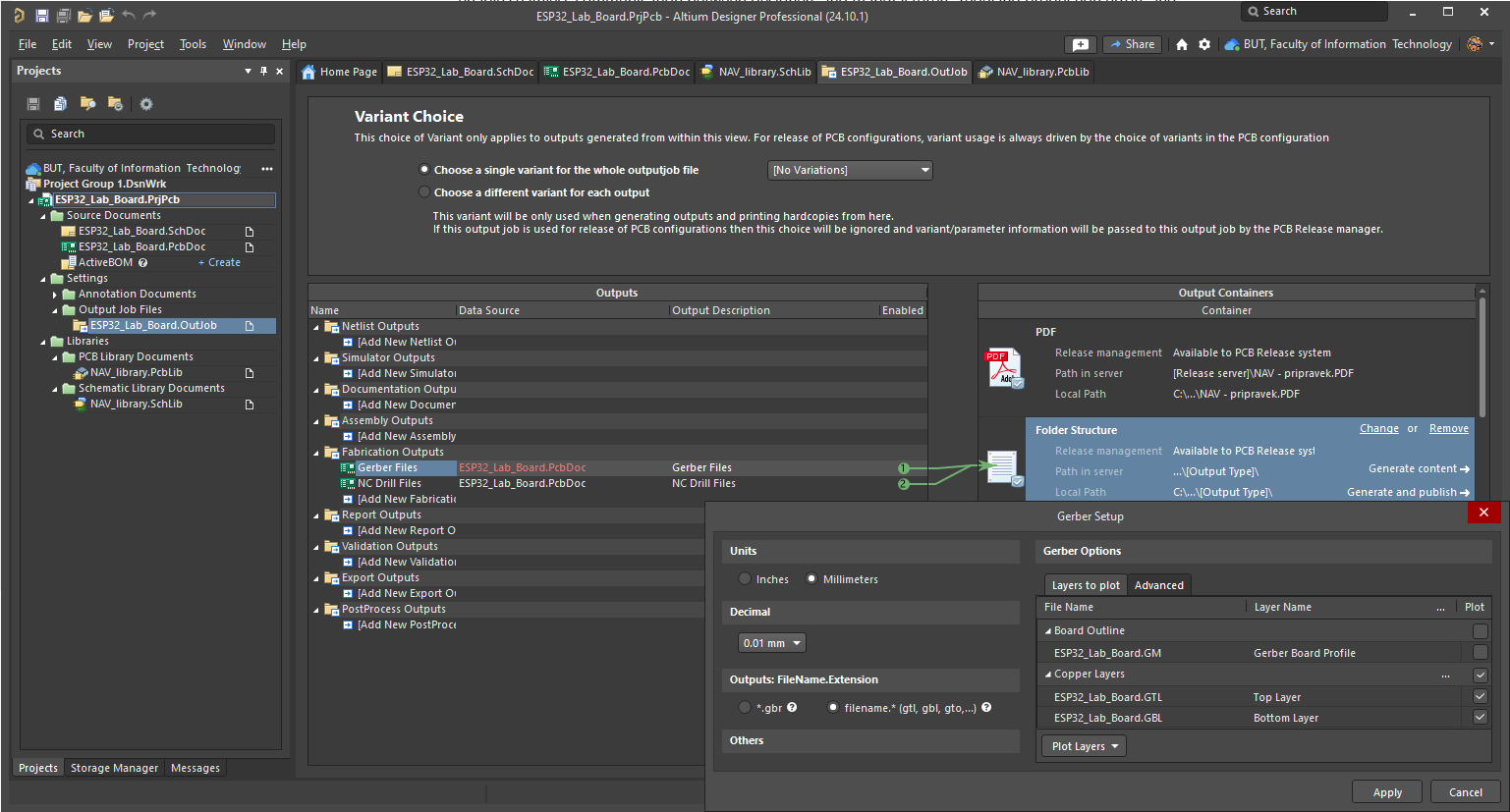
Altium Designer offers a highly automated and professional-grade fabrication output generation system, ensuring seamless transition from design to manufacturing. The software provides a CAM (Computer-Aided Manufacturing) Editor, allowing users to generate and inspect fabrication files before submission to a manufacturer. Altium supports a wide range of industry-standard formats, including Gerber (RS-274X and X2), ODB++, IPC-2581, NC Drill files, and Bill of Materials (BOM). The built-in Design Rule Checks (DRC) and Design for Manufacturability (DFM) analysis help prevent potential production issues, making Altium an excellent choice for high-reliability applications. Interface to the generation of various output data types is shown in the following Figure.